Skip to main content
How to Clear Browser Cache (CHROME)
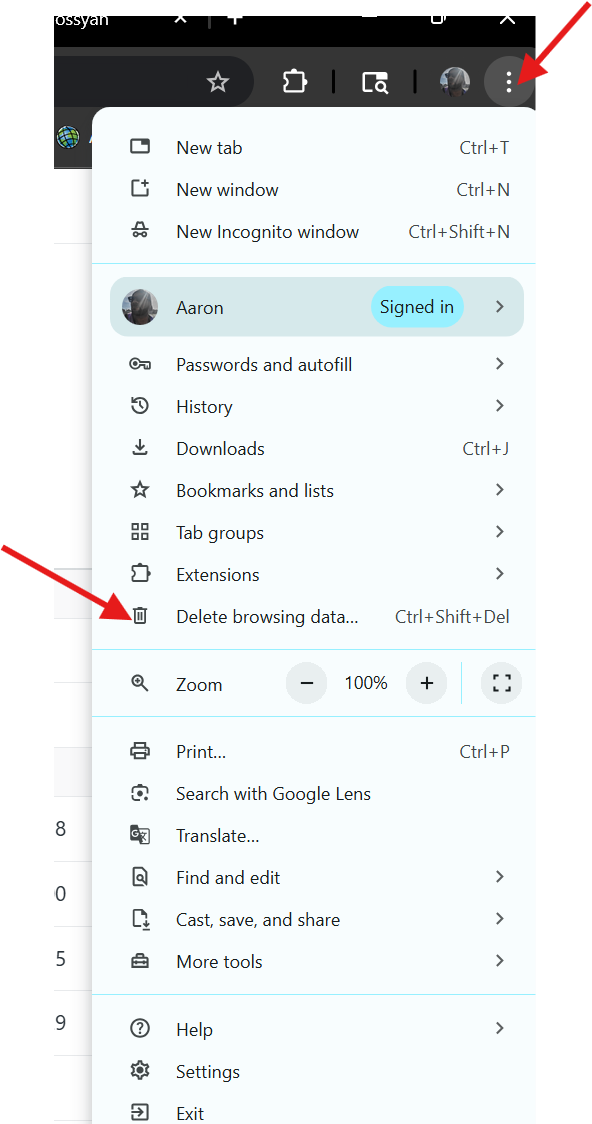
- Open Chrome.
- Click the three dots (⋮) in the top-right corner.
- Go to Delete browsing data…
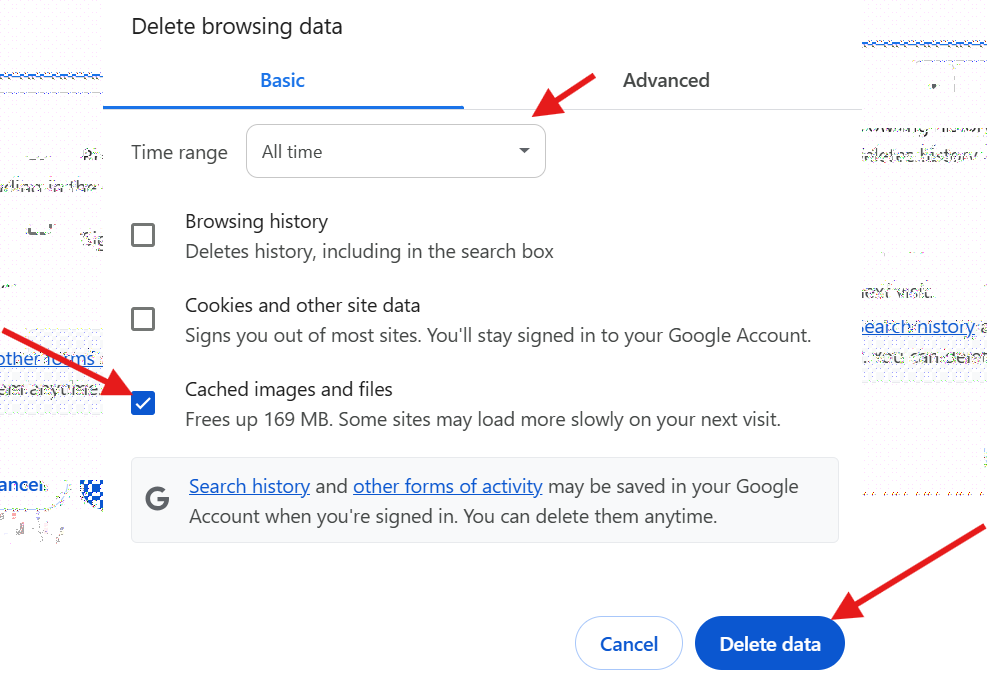
- In the popup:
- Change the Time range to All time
- Check "Cached images and files" (make sure to uncheck the others if you only want to clear cache).
- Click Delete data.
- Make sure to close all windows and open google chrome to have the changes updated.